
A website backup is a copy of important data from your hosting account. It allows you to restore data to a previous state if files were accidentally deleted, a website stops working after a change, or data from an older version is needed.
With a modern website, it is not enough to simply back up the visible pages. A website can consist of files, databases, emails, and numerous other data that together make up the complete hosting account.
In this article, we explain what a website backup is, which data can be backed up, and what limits a backup has.
Briefly explained: A backup is an additional copy of your data from a specific point in time. It allows data to be restored from a previous backup state. A backup does not prevent an error or an attack – but it can be crucial if data is needed again after such an event.
What is a backup? #
A backup is a separate copy of data that existed at a specific point in time.
Simplified:
Production data
      ↓
   Backup
      ↓
Backup status
If a file is deleted or modified later, an older version may be able to be recovered from an existing backup.
The decisive factor here is the time of the backup. A backup fundamentally contains the state of the backed-up data at the respective time of the backup.
Why are backups important? #
Websites and hosting accounts are constantly changing. Files are edited, emails received, databases updated, WordPress plugins installed, and content published.
Errors may occur during this process.
Typical situations include, for example:
- An important file was accidentally deleted or overwritten.
- A website is no longer working after a change.
- A WordPress update is causing unexpected issues.
- Content or data has been unintentionally modified.
- Email data from an earlier point in time is required.
- A website has been damaged or compromised.
An existing backup state can offer a possibility in such situations to restore required data from a previous state.
What components does a website consist of? #
The term „website“ is often used as if it were a single file. In fact, modern websites usually consist of multiple components.
For a WordPress website, this includes, for example:
WordPress files
Themes
Plugins
Uploads and images
Configuration files
MySQL database
The files and the database fulfill different tasks.
For example, the files include WordPress itself, plugins, themes, and uploaded media. The database stores posts, pages, settings, and much other dynamic information, among other things.
Important: Backing up only the WordPress files is therefore not automatically a complete backup of the website. For database-driven websites, the database is also part of the relevant data set.
What can a hosting backup include? #
A complete hosting account usually includes more than just the actual website.
Depending on the account and the services used, the following data, among others, may be present:
- Website files
- Databases
- Email data
- Hosting account configuration data
- further data belonging to the account
Therefore, during a restoration, it is important to distinguish, which data is actually required.
It doesn't always have to be the complete account that is restored #
If only a single file is missing, it would be unnecessary to automatically roll back the entire hosting account to an older state for that reason.
The same applies, for example, to email data.
Depending on the situation, a recovery can be carried out in a targeted manner:
single file

specific email data

specific dataset

or

complete hosting account
At CURIAWEB, recoveries can therefore be carried out in a targeted manner depending on the specific problem.
What does a backup status mean? #
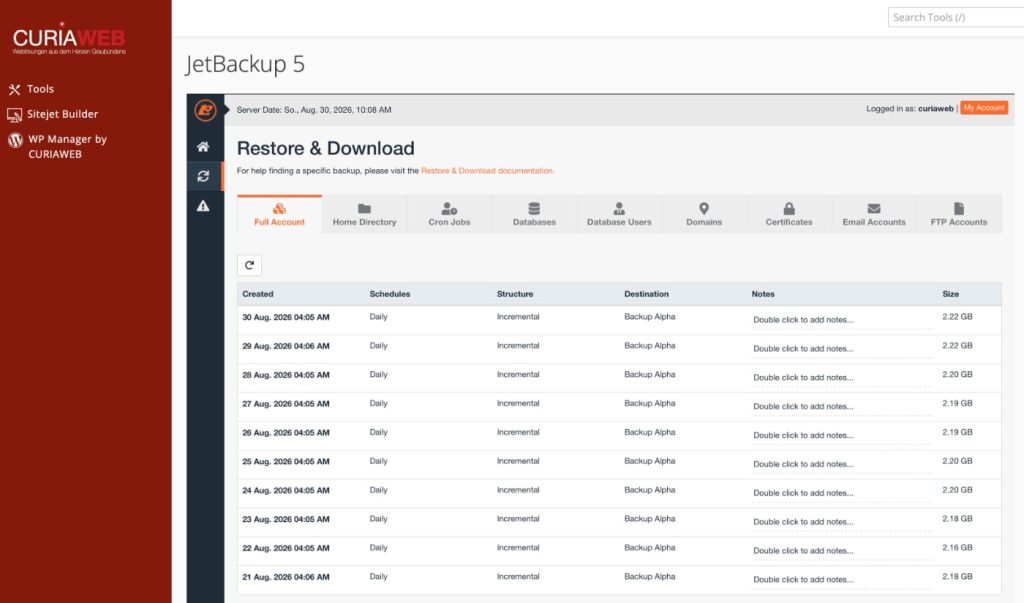
A backup state – often also called a recovery point or restore point – refers to a saved state from a specific point in time.
A simplified example:
August 30 → current backup status
August 29 → previous backup status
August 28 → older backup status
August 27 → older backup status
...
If, for example, you notice on August 30th that a file was accidentally modified as early as August 28th, a backup from August 29th might also already be affected.
For a successful restoration, a backup state must therefore be selected in which the required data was still present in the desired state.
The newest backup is not automatically the right backup #
This point is particularly important.
Assuming a faulty change was made on Monday, but only discovered on Thursday.
The backups from Tuesday, Wednesday, and Thursday may already contain the faulty change.
In this case, a backup from before Monday may need to be used.
Practical Tip: If you need a recovery, try to determine as precisely as possible when the data was still correct. This helps in selecting the appropriate backup version.
How do backups work at CURIAWEB? #
CURIAWEB creates daily backups of the hosting data. The backup versions are kept on a rolling basis for 30 days.
Simplified, this means:
daily backup
      ↓
30 days retention
      ↓
oldest backup is removed
      ↓
new backup is added
This makes restore points from different days available, as long as they are within the retention period and the respective backup was created successfully.
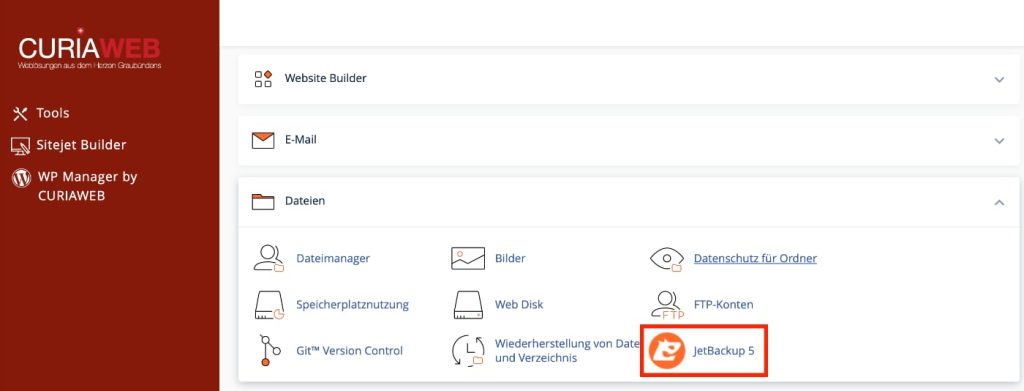
The fuses are with JetBackup 5 managed.
Why are the backups stored separately? #
A backup should not be exclusively dependent on the same production system whose data it is intended to protect.
CURIAWEB therefore stores the backups on separate backup servers in a separate data center.
Simplified:
Productive hosting server
            ↓
      Backup transmission
            ↓
Separate backup infrastructure
            ↓
   Separate data center
As a result, the backups are structurally separated from the productive hosting system.
Why does a separate backup infrastructure make sense? #
If the only backup were located exclusively on the same server as the production data, a serious problem could affect both datasets simultaneously.
Separate storage reduces this shared dependency.
However, that does not mean that a backup rules out every conceivable risk. Backups are an important component of a protection and recovery concept, but they are not a guarantee that data can never be lost.
30 days of retention does not mean unlimited archiving #
CURIAWEB backups are retained on a rolling basis for 30 days.
As a result, older backup versions are removed from the backup rotation over time.
If, for example, you only notice several months later that a specific file is needed, the corresponding historical backup state may no longer be available.
A regular backup with limited retention time is therefore not the same as a long-term archive.
Backup and archive fulfill different tasks #
A backup serves primarily to be able to restore data from a previous backup state after errors, losses, or other problems.
In contrast, an archive typically pursues the goal of specifically retaining certain data over a longer period of time.
Simplified:
Backup
→ recovery after a problem

Archive
→ long-term retention of specific data
If certain files or data need to be retained for months or years, rolling backup retention should not be relied upon exclusively for this purpose.
Can I see my backups on CURIAWEB? #
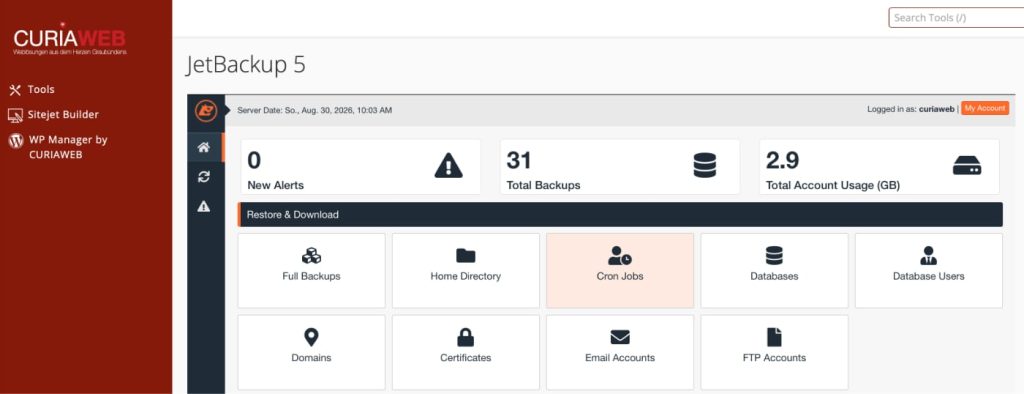
Yes. The existing backup statuses can be accessed via JetBackup 5 be viewed.
This allows you to check, for example, which backup times are available for your hosting account.
However, the actual recovery is performed by CURIAWEB.
Why can backups not be restored independently? #
The customer recovery function is deliberately disabled in CURIAWEB.
A restore can – especially in the case of extensive hosting accounts – consume considerable server resources. If several large restorations are carried out simultaneously or unnecessarily, this can result in a high server load.
Additionally, there is the risk of user error. An incorrectly selected full restore can replace current production data with an older state.
CURIAWEB therefore performs restores in a controlled manner. This makes it possible to check prior to the restore which backup status and data volume are actually required.
Important: The restriction only applies to independent restoration. You can view the existing backup states in JetBackup 5 and then inform CURIAWEB which data from which state is needed.
Why a targeted restore is often better #
Imagine that you accidentally deleted a single file today.
A complete account restore to yesterday's state could simultaneously reset other data that has changed correctly since then.
This can concern current website content or email data, for example.
Therefore, if technically feasible and appropriate for the specific case, a targeted recovery of the actually required data is preferable.
What happens during a full restore? #
During a full recovery, a larger dataset is restored to the state of the selected backup point in time.
This also means that changes made after this backup point in time may be affected.
Example:
Backup:
Monday 02:00 AM

Restore:
Wednesday

Changes made after Monday 02:00 AM
cannot be included in the restored
database.
Before a complete restore, it must therefore be precisely clarified what impact the recovery could have on current data.
Particularly important for dynamic websites #
On a static website, little may change between two days.
In contrast, dynamic systems can continuously generate new data.
Examples are:
- WooCommerce orders
- Customer accounts
- Form entries
- Comments
- new posts and pages
- changed settings
- Email data
A complete restore to an older state can therefore have a significantly greater impact than the recovery of a single file.
A backup does not prevent an attack #
Backups are no substitute for security measures.
For example, a backup does not prevent:
a password is stolen

a security vulnerability is exploited

malicious code is introduced

a file is deleted

a plugin causes an error
However, the backup can play an important role in recovery after such an event.
A backup may already contain an error #
This point is also frequently overlooked.
For example, if a website has already been compromised for several days, newer backups may also contain the compromised state.
Therefore, it is not always enough to simply restore the newest backup.
In the event of a security incident, it must first be determined as precisely as possible when the problem arose and whether the selected backup state might already be affected.
Restoration and troubleshooting are not the same #
If a website has gone down or been damaged due to a specific cause, a restore does not necessarily fix that cause.
For example:
insecure plugin
      ↓
website compromised
      ↓
restore older backup
      ↓
insecure plugin still present
      ↓
re-compromise possible
Therefore, depending on the cause, the actual problem must also be resolved after a recovery.
Backups before major changes #
Before extensive work on a website, it is advisable to consider recovery options.
This applies, for example, before:
major WordPress updates
theme changes
extensive plugin modifications
database work
website migrations
major structural changes
In particular, it should be checked whether a suitable, up-to-date backup exists and which data could continue to change during the work.
What should you specify as precisely as possible during a restore? #
When contacting CURIAWEB for a restoration, the more precise the information provided, the more helpful it will be.
Of particular importance are:
- which hosting account or domain is affected,
- which data should be restored,
- which backup status or which date is required,
- what happened and
- Since when the problem has existed.
For a single file, you should also provide the file name and path if possible.
For email data, the affected email account should be specified.
Have a backup restored #
If you need data from an existing backup, contact CURIAWEB Support. Please let us know as precisely as possible which backup version and which data you need.
Create support ticket for a recovery
We will then check the requested restore and carry out the recovery in a controlled manner for you.
Practical Tip: In the event of data loss, change as little as possible until it is clear which recovery method makes sense. Especially with dynamic websites, subsequent changes can make the decision between a full and a targeted restore more difficult.
What a backup does not replace #
Even with regular backups, further measures remain necessary.
This includes, for example, up-to-date software, secure access credentials, sensible user permissions, a well-maintained website, and the monitoring of important systems.
Backups serve as the recovery layer here:
Prevent errors as much as possible
          +
Detect problems early
          +
Fix the root cause
          +
Be able to restore data
Only the interplay of these measures results in a robust security and operational concept.
Summary #
A website backup is a copy of data from a specific point in time. For a hosting account, this can include website files, databases, email data, and other account data.
CURIAWEB backs up hosting data daily using JetBackup 5 and retains the backup versions on a rolling basis for 30 days. The backups are stored on separate backup servers in a separate data center, keeping them isolated from the productive hosting infrastructure.
Customers can view the available backup points in JetBackup 5. Restorations are intentionally performed by CURIAWEB. This allows for a targeted decision depending on the situation, such as whether individual files, email data, or a complete hosting account should be restored.
However, a backup is neither an unlimited archive nor a substitute for security measures. Furthermore, the newest backup is not automatically the correct recovery point. The decisive factor is the point in time when the required data was still in the desired state.
The more precisely you can specify what is needed during a recovery and from which time period the data should originate, the more accurately the appropriate backup point can be selected.


